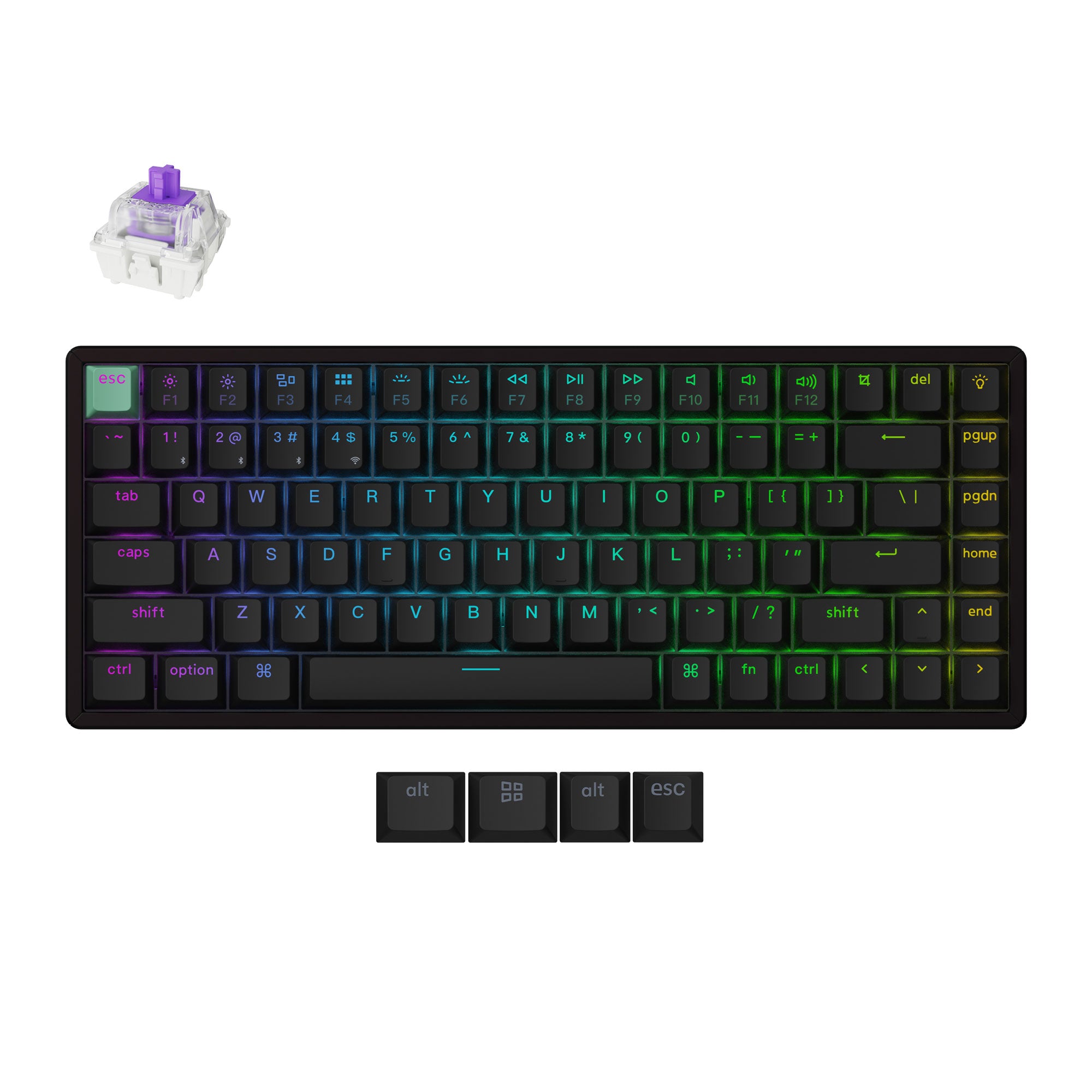
Compact keyboards free up desk space, but their priorities can be very different. Decide whether you want adjustable key response, straightforward device switching, or a lighter keyboard to carry.
Look at the keys you need
Check the function row, arrow cluster, regional layout, and number pad before reading about switches. Both keyboards in this shortlist omit a dedicated numpad. If numeric entry is central to your job, include a separate keypad or reconsider the layout.
Decide how much you want to tune
The Keychron K2 HE offers adjustable actuation and Rapid Trigger. Those settings may appeal if you want to change key response for particular games or tasks. The MX Mechanical Mini instead offers conventional switch choices and office-focused device switching. Read the exact switch option before placing an order.
Match the wireless mode to the task
The K2 HE lists different polling rates for Bluetooth and its wired or 2.4 GHz modes. The MX Mechanical Mini offers Bluetooth and Logi Bolt. Choose based on your devices and setup; the existence of a wireless connection does not mean every mode behaves the same way.
Check the version and the bag weight
Keychron's editions and switch versions have different details and compatibility. Its Standard Version is listed at 980 g, while the MX Mechanical Mini is listed at 612 g. If you carry a keyboard daily, those dimensions and weights matter alongside your preference for the typing feel.
Before you buy
- The exact layout has the keys I use most.
- I have checked the switch and edition, not only the product name.
- The connection modes and weight fit my routine.
This is research-based buying advice. The reviews below include manufacturer sources, version notes and image credits.
